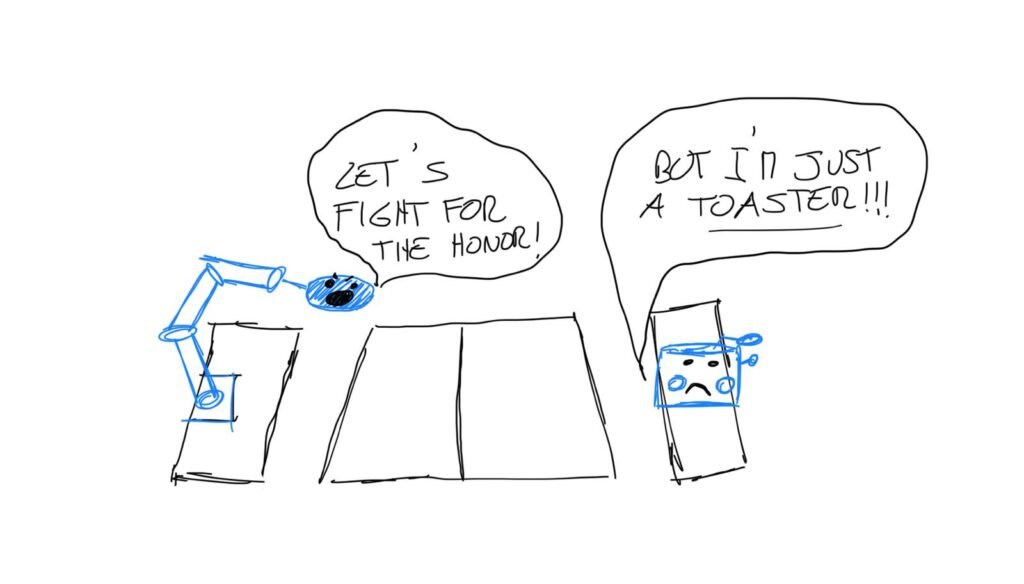
Imagine a world where a robotic arm flawlessly executes a backhand smash or anticipates your every spin serve. This is not science fiction—it is the forefront of artificial intelligence in action. In this project, “Play Table Tennis with AI”, we explore how advanced machine learning techniques enable machines to perceive, predict, and react with precision, bringing the excitement and challenge of table tennis into the realm of intelligent robotics.
Spoiler: I used reinforcement learning, so for the first training phase I played better than him (then not).
Choosing the right approach
Tackling the challenge of playing table tennis with AI requires a method that can handle the complexity and dynamism of the game. So what strategy did I use?
Reinforcement learning (RL) is the optimal solution for this task. RL excels in environments where the AI must learn from interaction and adapt its strategies over time. By receiving feedback in the form of rewards and penalties, the AI model iteratively improves its performance, much like a human learning from experience. This ability to learn from trial and error, and continuously refine its actions based on outcomes, makes reinforcement learning particularly well-suited for mastering the nuanced and fast-paced nature of table tennis. Consequently, using this architecture our actors will be:
- Environment: the table tennis table.
- Agent: the expensive KUKA arm.
- Reward: we will define it.
Data Collection and setup for the Model
In this section, we will explore the process that resulted in the modelling and implementation of a robotic arm in the virtual environment of Pybullet, an open-source library that offers precise real-time physics simulation and robotics, making it a perfect option for creating realistic and dynamic environments for AI training.
The Environment
Understanding the environment was the first thing to deal with. As said before, I trained the model in pybullet using state variables like the joint position (in radians) of the arm, current ball position, velocity and many others. Informations were provided through a vector you can see as follows:
- 0-10 joints position.
- 11-13 pad center position (x,y,z).
- 14-16 pad normal versor (x,y,z).
- 17-19 Current ball position (x,y,z).
- 20-22 Current ball velocity (x,y,z).
- 23-25 Opponent pad center position (x,y,z).
- 26 Game waiting, cannot move (0=no, 1=yes).
- 27 Game waiting for opponent service (0=no, 1=yes).
- 28 Game playing (i.e., not waiting) (0=no, 1=yes).
- 29 Ball in your half-field (0=no, 1=yes).
- 30 Ball already touched your court (0=no, 1=yes).
- 31 Ball already touched your robot (0=no, 1=yes).
- 32 Ball in opponent half-field (0=no, 1=yes).
- 33 Ball already touched opponent’s court (0=no, 1=yes).
- 34-35 Your score, Opponent’s score.
- 36 Simulation time.
But how do we communicate via pybullet? Here is a scheme that describes the fundamental parts of the communication:
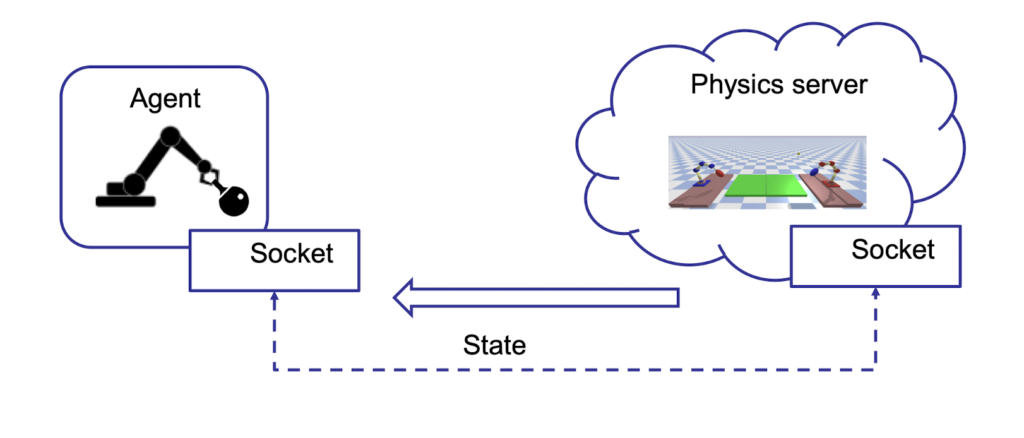
The Agent communicates with the Environment (Physics Server) via socket, and they both keep up to date through the sending of the state variables that define agent joints position, ball position, etc.
Train the Model
Let’s dive now into the funniest (and most difficult) about training the model to play table tennis with AI.
“How can I teach him how to play?”
Before the AI model could master the complexities of table tennis, it was essential to teach it the basics. The initial phase of training focused on fundamental skills such as accurately hitting the ball and avoiding simple mistakes like getting stuck under the table. This foundational training involved repetitive tasks and incremental learning, ensuring that the model developed a solid understanding of basic movements and reactions. But that wasn’t still enough. There were too many state variables and the robot could not generalize them well so the arm was still moving “randomly” (so it was playing like me). For this reason, the best choice was to split the main model into two “sub-models”:
- The first model was responsible for moving the “body” of the robot, so it controlled all the joints except the “wrist” which was used to hold the racket. This network is equipped with two hidden layers with respectively 400 and 300 neurons.
- The second model was in charge of moving the “wrist”, handling rotation and inclination of the racket. This network has two hidden layers, each composed of 64 neurons.
Note: this method allowed us to train the model incrementally by using a modular approach to improve specific parts of the arm. We started by training the first model to accurately position the robotic arm, and then progressed to training the second model.
Reward function
As mentioned previously, it was necessary to teach the robot to play in an “incremental” way, and this process was made available thanks to the use of the reward function which allowed us to choose in which cases and contexts to penalize and reward the robot based on the actions taken. We will see the two reward functions used in the first step (and that as you will see led to a model who plays quietly well).
Note: both functions assign a reward in a range between -100 and +100 depending on the case.
The reward function is designed to evaluate multiple conditions in order to provide positive or negative feedback that guides the agent toward progressively better performance.
In the first scenario, the function cubes and sums certain values, thereby imposing a stronger penalty on higher ball velocities. This reflects the intuition that faster-moving balls—particularly those exhibiting erratic or unpredictable trajectories—are inherently more difficult to control and thus warrant a proportionally greater penalty. The use of the cubic transformation amplifies higher values, ensuring that the penalty escalates significantly for extreme velocities.
The second reward function adopts a similar framework, also penalizing excessive ball velocity, but introduces additional nuances. It differentiates between successful hits that are intercepted by the opponent and those that are not, and incorporates an end-of-match condition with a proportional penalty based on the ball’s distance from the net. This refined approach enables the agent to learn the precise amount of force required for effective racket-ball interactions, supporting more accurate control and strategic decision-making during gameplay.
Action
Ok, everything is fine, but how many actions should the model take and when?
We are focused on rewarding specific actions, such as when the robot is actively engaged and not waiting for the opponent’s ball. In our model, we have determined that the robot will only take actions (one for each net) when the ball is near the arm (in the first model), and when the distance between the ball and the racket is less than a certain value (in the second model). This choice allowed us to make the robot understand, in a more explicit way, for each episode (in this case an episode corresponds to a match), what actions it had to carry out to play well.
Other improvements
We will now mention some improvements that led to faster convergence of the model and which allowed us to save considerable time on training.
Trajectory prediction: controlling the ball’s trajectory enabled the robot to anticipate the ball’s path and determine the best position to maximize rewards (projectile motion was used).
Prioritized replay buffer: it is used in reinforcement learning to store and sample experiences more effectively during training. Unlike a regular replay buffer, which samples experiences uniformly at random, a prioritized replay buffer assigns a priority to each experience based on its importance.
The result
“Play Table Tennis with AI”, but what’s the final result?
In the following video, we show a match between our model and Auto Player, a deterministic model that does not have any machine learning part (a little dim, literally without even a neuron in its head) which follows the position of the ball and uses inverse kinematics to hit the ball.
Training to play table tennis with AI from scratch was not easy, especially when, after several training sessions, it kept getting stuck under the table. However, in machine learning, as in life, you cannot learn without making mistakes, and getting stuck before reaching the finish line is part of the process (it’s not an invitation to get stuck under tables).